
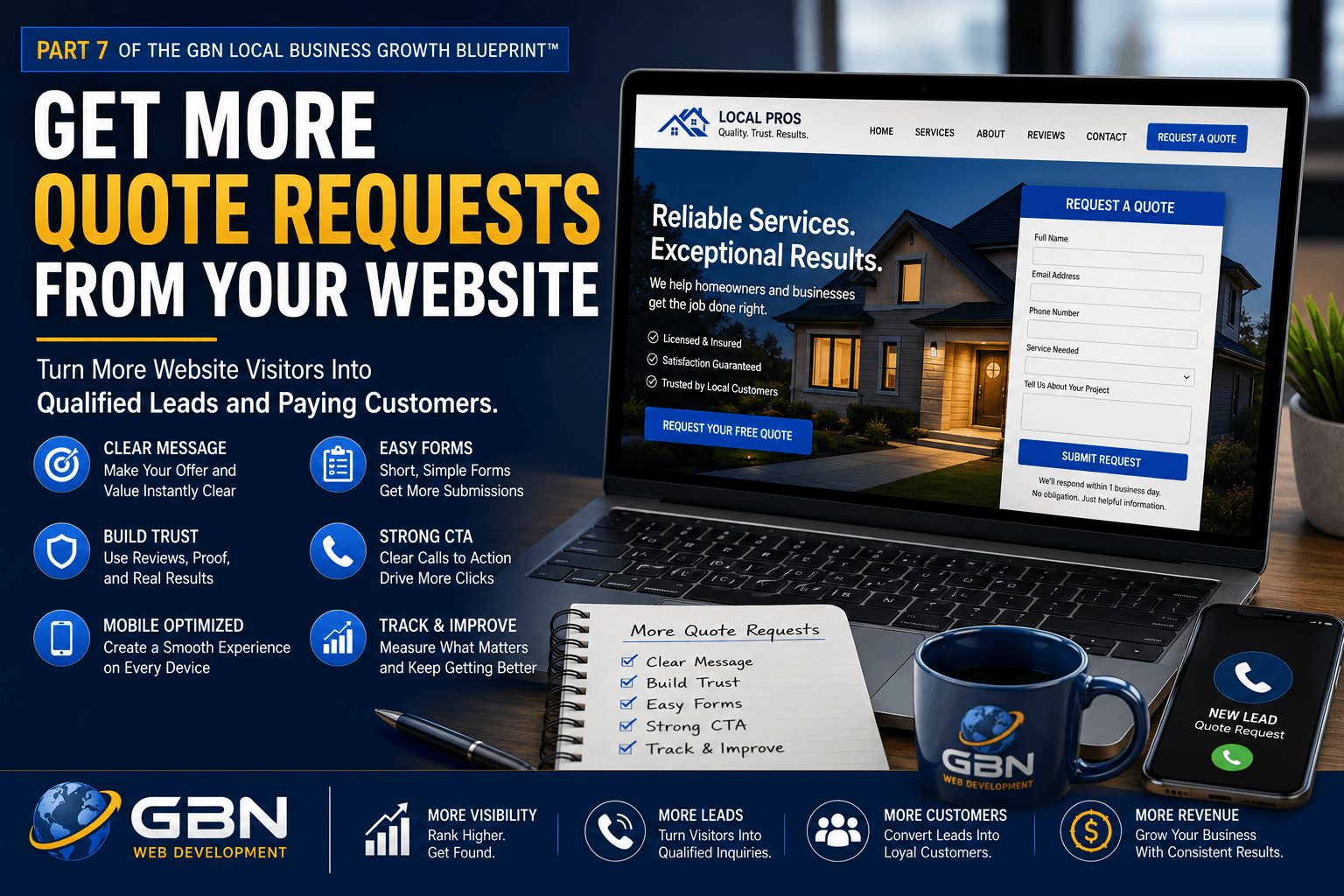
Get More Quote Requests From Your Website
Learn how to turn more website visitors into serious quote requests by removing friction, building trust, improving your forms, and giving prospective customers a clear reason to contact your business.
How Can a Business Get More Quote Requests From Its Website?
To get more quote requests from your website, clearly explain what you offer, identify who you help, build trust with reviews and proof, place visible calls to action throughout the site, and use a short, mobile-friendly quote form. The form should request only the information needed to begin the conversation and explain exactly what happens after the visitor submits it.
More traffic alone will not solve a website conversion problem. Your website must reduce uncertainty, answer the customer’s most important questions, and make requesting a quote feel easy, safe, and worthwhile.
Your Website Should Produce Opportunities, Not Just Visitors
A website can receive traffic, look professional, and still fail to generate meaningful quote requests.
Visitors may arrive from Google, social media, your Google Business Profile, email campaigns, online directories, or referrals. But after reaching your website, they still need to understand what you do, whether you serve their area, why they should trust you, and what action they should take next.
When those answers are difficult to find, prospective customers hesitate. They may click through several pages, become confused, leave without contacting you, and continue comparing competitors.
Quote requests increase when your website makes the buying journey easier. The goal is to move a qualified visitor from uncertainty to confidence with as little unnecessary friction as possible.
Your website should not pressure every visitor into submitting a form. It should give the right visitor enough information and reassurance to believe that contacting your business is the logical next step.
Four Things Visitors Need Before Requesting a Quote
Most prospective customers need clarity, relevance, confidence, and a simple next step before they are willing to share their contact information.
Clarity
Visitors must immediately understand what your business offers and which problems you solve.
Relevance
The page must show that your services match the visitor’s needs, location, project type, or industry.
Trust
Reviews, examples, credentials, guarantees, and clear information reduce the perceived risk of contacting you.
Easy Action
The visitor needs a visible, simple, and low-friction way to request the next step.
How a Website Visitor Becomes a Sales Opportunity
A quote request is usually the result of several smaller decisions made during a single website visit.
Eight Steps to Generate More Website Quote Requests
More form submissions come from improving the entire website experience, not merely changing the color of a button.
Make Your Offer Clear Within the First Few Seconds
When a visitor reaches your website, the first screen should answer three immediate questions:
- What does this business do?
- Who does it help?
- What should I do next?
Avoid vague headlines such as “Quality You Can Trust” or “Welcome to Our Website.” Those statements do not explain your service or help the visitor determine whether they are in the right place.
A stronger headline names the primary service and intended customer. A supporting sentence can explain the problem you solve, the area you serve, or the main result customers receive.
The first call to action should appear near this message so a visitor who is already ready to act does not need to search for a quote form.
Send Visitors to the Most Relevant Page
A visitor searching for a specific service should not always land on a general home page. Dedicated service and location pages create a more relevant path from search to quote request.
Each important landing page should focus on one primary customer need. It should explain the service, identify who it is for, address common concerns, provide proof, and lead toward a specific action.
A focused page can convert more effectively because the message matches the visitor’s original search or referral source.
- Create dedicated pages for high-value services.
- Use location pages for legitimate service areas.
- Link educational blog content to relevant service pages.
- Match ad campaigns with focused landing pages.
- Avoid sending every campaign to the home page.
Build Trust Before Asking for Contact Information
A quote request represents a small commitment. Visitors may be sharing their name, phone number, email address, project details, and possibly their budget.
Before asking for that information, demonstrate that your business is credible and capable.
- Display recent and specific customer reviews.
- Show before-and-after images or completed projects.
- Include licenses, certifications, or industry affiliations.
- Explain your experience and service standards.
- Use real team or business photos where possible.
- Show service guarantees or clear expectations.
Proof should appear near important calls to action, not only on a separate testimonials or portfolio page.
Use Clear and Specific Calls to Action
A call to action should tell the visitor exactly what will happen when they click.
Generic language such as “Submit,” “Contact Us,” or “Learn More” can create uncertainty. More specific wording connects the action with the customer’s goal.
- Request Your Free Estimate
- Get a Website Project Quote
- Schedule Your 15-Minute Consultation
- Check Service Availability
- Tell Us About Your Project
Place calls to action in the header, hero section, service sections, proof sections, and near the end of each important page. Visitors should not need to scroll back to the top when they become ready to act.
Find Out What Is Preventing Visitors From Requesting a Quote
GBN Web Development can review your website message, calls to action, mobile experience, forms, service pages, trust signals, and conversion path to identify missed opportunities.
Keep Your Quote Form Short and Focused
Every form field adds effort. Long forms can discourage visitors, especially when they are using a phone or are still early in the decision process.
Begin with the information required to understand the opportunity and respond effectively.
- Name
- Phone number or email address
- Requested service
- Location or service area
- Brief project description
Additional fields may be appropriate for complex or high-value services, but each field should have a clear purpose. Avoid asking for detailed information simply because the form builder makes it possible.
You can collect more information during the consultation after the customer has made the initial commitment.
Explain What Happens After the Form Is Submitted
Visitors may hesitate because they do not know what happens after they click the button. Will someone call immediately? Will they receive an email? Are they committing to a purchase? How long will the response take?
Add a short reassurance statement near the form, such as:
- We will review your request and respond within one business day.
- There is no obligation to move forward.
- Your information will not be sold or shared.
- We will contact you to confirm your needs and next steps.
- Most consultations take approximately 15 minutes.
After submission, display a clear confirmation message or thank-you page. The customer should know that the form worked and what to expect next.
Optimize the Entire Experience for Mobile Visitors
Many local customers will visit your website from a smartphone. A form that works well on a desktop may still be frustrating on a smaller screen.
Review the mobile experience carefully:
- Use large, easy-to-tap buttons.
- Keep form fields wide and vertically stacked.
- Use the correct keyboard type for phone and email fields.
- Avoid tiny text and cramped spacing.
- Keep the phone number visible and tap-to-call.
- Remove intrusive popups that block the page.
- Test forms on multiple devices.
A technically functional mobile page is not always a comfortable mobile experience. The page should be easy to understand and complete with one hand.
Track Form Performance and Improve It Over Time
Without tracking, you may know how many forms were submitted but not which pages, traffic sources, or services produced them.
Measure form starts, successful submissions, conversion rates, lead quality, customer outcomes, and revenue whenever possible.
Review where visitors leave the process. A low conversion rate may indicate weak traffic quality, unclear page messaging, poor mobile usability, insufficient trust, too many fields, or a technical form problem.
Make one meaningful change at a time and compare the results. The objective is not merely to increase submissions. It is to increase qualified quote requests that can become profitable customers.
What Should a Website Quote Form Ask?
A strong quote form collects enough information to begin a useful conversation without making the visitor complete an application.
The ideal form length depends on the service. A contractor, attorney, web designer, medical practice, and restaurant may each require different information.
The principle remains the same: collect only the details that help you understand the lead, route it correctly, and respond professionally.
Consider making detailed information optional. Customers who are ready to explain the project can provide more context, while customers who prefer a quick first step can still submit the form.
Example Quote Request Form
Example only. Connect your published form to your preferred WordPress form plugin, CRM, or email workflow.
Why Some Forms Get Ignored While Others Generate Leads
Low-Converting Quote Experience
- Generic headline with no clear service
- Quote button hidden at the bottom of the page
- No reviews or project examples near the form
- Form contains fifteen required fields
- Customer must create an account
- No explanation of what happens next
- Form is difficult to complete on a phone
- No confirmation after submission
High-Converting Quote Experience
- Clear service and customer-focused headline
- Visible quote buttons throughout the page
- Reviews and proof support the decision
- Form asks only necessary questions
- No account or unnecessary commitment required
- Response expectations are clearly explained
- Mobile form is easy to read and complete
- Thank-you message confirms the next step
How Reducing Friction Can Increase Quote Requests
Imagine a local landscaping company that receives steady website traffic but only a few quote requests each month.
Its home page uses a large photo and the headline “Creating Beautiful Outdoor Spaces,” but it does not identify the company’s location, primary services, or ideal projects. The quote form is located on a separate contact page and requires twelve fields, including budget, property size, preferred materials, project timeline, and several detailed questions.
The company improves the page by naming its main services, adding the communities it serves, displaying recent project photos, placing customer reviews near the quote section, and adding a visible “Request a Free Estimate” button.
The form is reduced to name, contact information, service needed, project location, and an optional message. A short note explains that the company will respond within one business day to discuss the project.
The business has not changed its services or purchased additional traffic. It has made the existing traffic easier to understand, trust, and convert.
Why Website Visitors Leave Without Requesting a Quote
Unclear Website Message
Visitors cannot quickly determine what the company offers or whether the service matches their needs.
Weak Calls to Action
Buttons use vague wording, appear only once, or do not describe what will happen next.
Too Many Form Fields
The form asks for detailed information before the customer has decided whether to begin a conversation.
Not Enough Trust
The page lacks reviews, credentials, examples, guarantees, or clear business information.
Poor Mobile Usability
Small buttons, cramped fields, slow loading, and intrusive popups make the page difficult to use on a phone.
Technical Form Failures
Submissions do not send, notification emails go to spam, or the customer receives no confirmation.
Your Website Should Make Requesting a Quote Feel Easy
GBN Web Development helps local businesses improve website messaging, service pages, calls to action, mobile usability, contact forms, Local SEO, and customer trust.
Website Quote-Request Conversion Checklist
Review each high-value page using this checklist.
- State your primary service in the main headline.
- Identify the customers or locations you serve.
- Add a visible quote button above the fold.
- Create dedicated pages for important services.
- Add reviews near calls to action.
- Show completed projects or relevant results.
- Explain your process and what customers should expect.
- Use specific calls to action instead of generic wording.
- Keep the quote form short and focused.
- Make nonessential questions optional.
- Use tap-to-call phone links on mobile.
- Test the form on desktop, tablet, and mobile.
- Confirm that notification emails are delivered.
- Create a useful thank-you message or page.
- Respond promptly to every qualified inquiry.
- Track which pages produce quote requests and customers.
Website Quote-Request Metrics to Track
Form submissions are important, but they should be connected to lead quality and revenue.
| Metric | What It Measures | Why It Matters |
|---|---|---|
| Landing Page Visitors | How many people view an important service or campaign page. | Provides the traffic baseline for measuring conversion. |
| CTA Click Rate | The percentage of visitors who click a quote-request button. | Shows whether the page creates enough interest to begin the form. |
| Form Start Rate | How many visitors begin entering information. | Helps identify whether the form feels relevant and approachable. |
| Form Completion Rate | The percentage of started forms that are submitted. | Reveals possible friction, length, or technical problems. |
| Page Conversion Rate | The percentage of visitors who submit a quote request. | Shows how effectively the page turns traffic into leads. |
| Qualified Quote Rate | The percentage of submissions that match your ideal customer. | Measures lead quality rather than form volume alone. |
| Quote-to-Customer Rate | The percentage of quote requests that become paying customers. | Connects website performance to sales outcomes. |
| Revenue by Landing Page | Revenue associated with leads generated by specific pages. | Identifies the website content producing the greatest value. |
A Better Form Cannot Help Customers Who Never Find You
Conversion optimization improves what happens after visitors reach your website. Local SEO, Google Business Profile optimization, service pages, location pages, and useful content help qualified customers discover those pages.
Sustainable growth requires both visibility and conversion. More visibility brings additional opportunities. Stronger website conversion turns more of those opportunities into quote requests.
Part 8 of the GBN Local Business Growth Blueprint™ explains how consistent local visibility can support long-term revenue growth.
The Complete Growth Path
- Appear when local customers search.
- Send them to a relevant website page.
- Explain your offer clearly.
- Build trust with reviews and proof.
- Make the quote request easy.
- Respond quickly and professionally.
- Track which leads become customers.
- Build consistent visibility over time.
Continue Improving Your Website and Local Visibility
Website Quote Request FAQs
Why is my website getting traffic but no quote requests?
A website may receive traffic without producing quote requests when the message is unclear, visitors reach irrelevant pages, trust signals are weak, calls to action are difficult to find, forms are too long, or the mobile experience creates friction. Traffic quality should also be reviewed because visitors who do not match your services or location are unlikely to convert.
How many fields should a quote request form have?
The form should contain only the fields needed to understand the opportunity and respond effectively. Many local service businesses can begin with a name, phone or email, requested service, location, and a brief project description. Complex services may require more information, but unnecessary required fields can reduce completion.
Where should quote buttons appear on a website?
Quote buttons should appear in the header, hero section, important service sections, near reviews or proof, and near the bottom of the page. A visitor should be able to take action when they become ready without searching or returning to the top.
What is the best call to action for a quote form?
The best call to action clearly describes the customer’s next step. Examples include “Request Your Free Estimate,” “Get a Website Project Quote,” “Check Service Availability,” and “Schedule Your Free Consultation.” The wording should match the service and the commitment required.
Should I show pricing before asking for a quote?
Pricing transparency depends on the service. Fixed-price services can often show exact prices. Custom services may use starting prices, ranges, minimum project sizes, or examples. Providing some pricing context can help qualify prospects and reduce unrealistic inquiries.
How can reviews increase website quote requests?
Reviews reduce uncertainty by showing that real customers trusted the business and received satisfactory results. Specific reviews that mention the service, communication, location, process, and outcome can help future customers feel more confident about requesting a quote.
What should happen after someone submits a quote form?
The visitor should immediately see a confirmation message or thank-you page explaining that the submission was received. The business should receive a reliable notification, record the lead source, and respond within the promised time. An automated confirmation email can also reassure the customer.
Can GBN Web Development help improve my website conversions?
Yes. GBN Web Development helps small businesses improve website messaging, service pages, mobile usability, forms, calls to action, customer proof, Local SEO, and lead tracking. The process can begin with a free 15-minute strategy call.
Turn More Website Visitors Into Qualified Quote Requests
Your website should clearly explain your value, build confidence, and make the next step easy. GBN Web Development can help you identify and repair the conversion problems costing your business leads.
Continue to the Next Step
Part 6: Keep Your Phone Ringing With Qualified Local Leads
Learn how to attract more local prospects who need the right service, live in the right area, and are prepared to take action.
Read Part 6Part 8: Grow Your Revenue With Consistent Local Visibility
Learn how steady Local SEO, content, reviews, and customer visibility can create more predictable long-term business growth.
Continue to Part 8Turn more visits into inquiries with website design built to generate quote requests.







3 thoughts on “Part 7 – Get More Quote Requests From Your Website”
gyzdqrslkhwowhordewjruxjfmlske
tdtlsximmzykvwxpvozeuhyhorijsz
ytlifxivzsvypedstgungpjppjitpv